Managing users
Only administrators can manage users.
Adding a new user
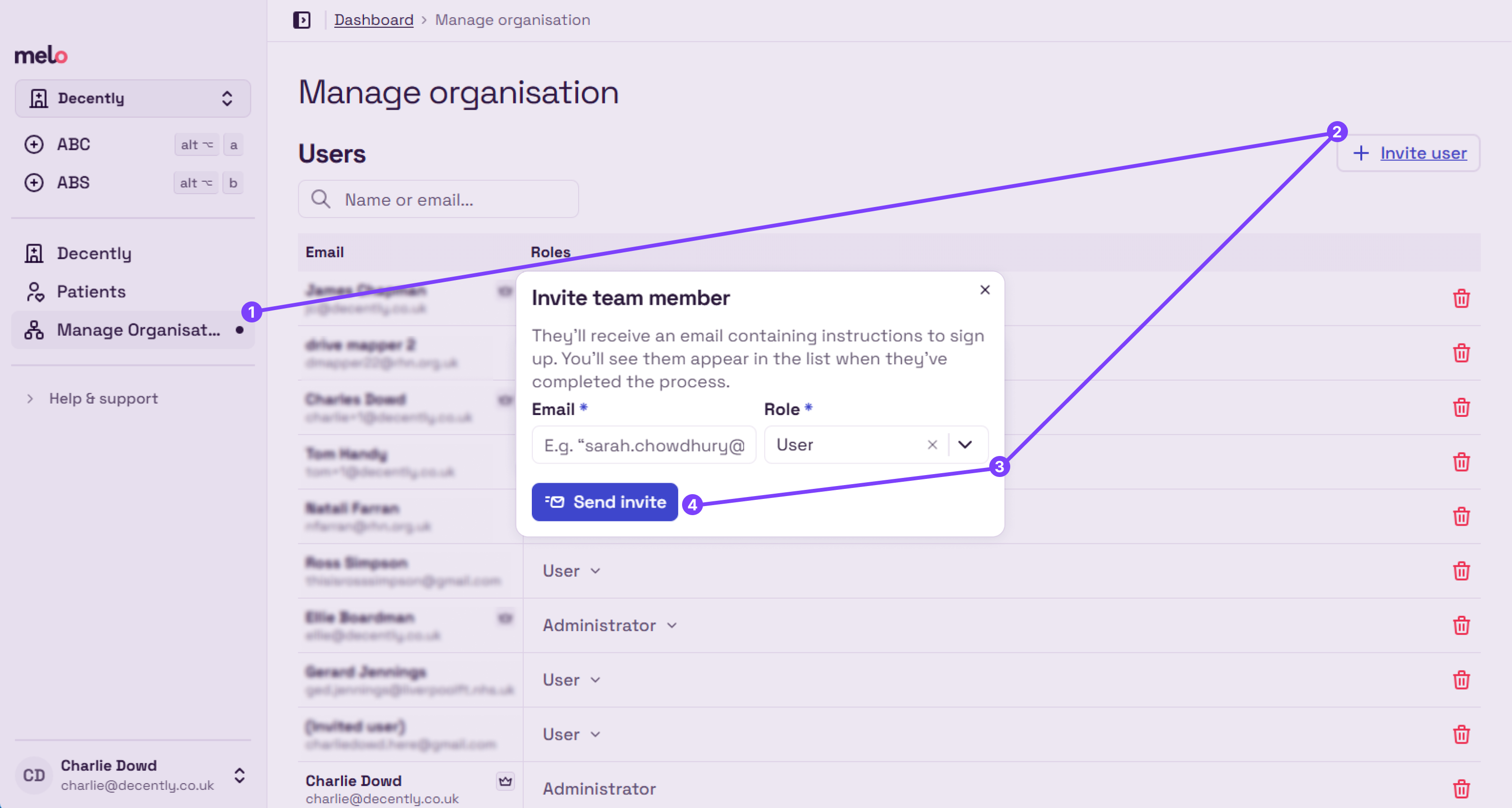
Navigate to Manage organisation page
Click “Invite user”
Enter their email address
Choose their access level
Click “Send invite” (the user will receive an email, and should follow these steps to get set up)
Change a user’s access level
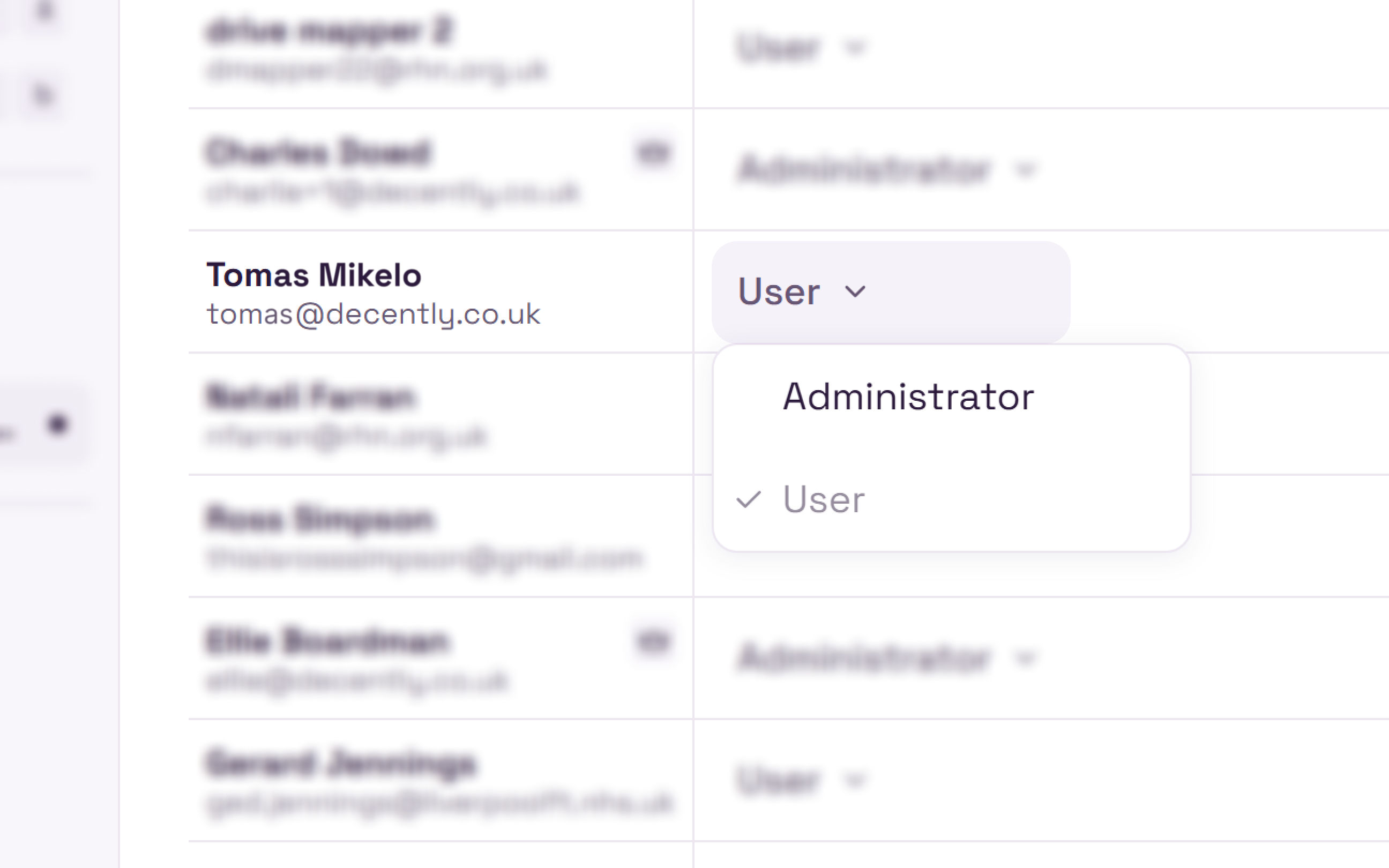
Navigate to Manage organisation page
Click the role dropdown next to the user
Choose a new role
Delete a user
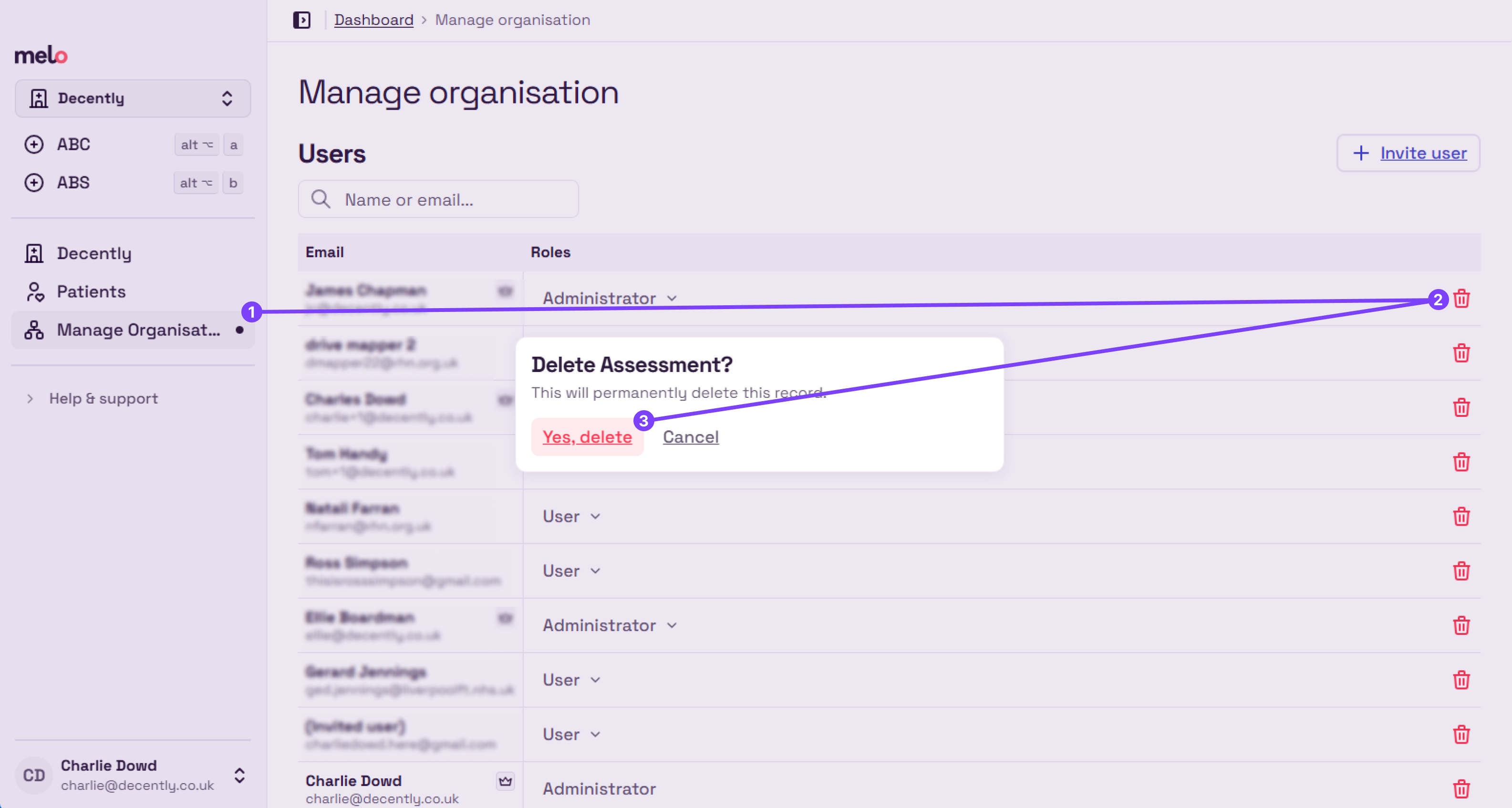
Navigate to Manage organisation page
Click the trash/delete button next to the user
Confirm in the dialogue box